
Creating a workspace at home that balances comfort and productivity can significantly improve your work experience. Whether you’re working remotely full-time or just need a dedicated spot for occasional tasks, a well-designed home workspace can help you stay focused, inspired, and relaxed. Here are some helpful tips to design a cozy and productive home workspace.
1. Choose the Right Location
The first step is selecting a space that suits your needs. Ideally, pick a quiet corner or room with enough natural light and minimal distractions.
– Consider lighting: Natural light boosts mood and alertness. A spot near a window is perfect.
– Minimize noise: If possible, choose a room away from busy areas of your home.
– Accessibility: Make sure you have easy access to essential power outlets and internet connectivity.
2. Invest in Comfortable Furniture
Comfort is key to maintaining productivity, especially if you spend several hours at your desk.
– Ergonomic chair: Choose a chair that supports your back and encourages good posture.
– Desk: Pick a desk of appropriate height and size. If space allows, a standing desk or an adjustable desk is a great option to alternate between sitting and standing.
– Footrest or cushions: These can help reduce fatigue during long working hours.
3. Organize and Declutter Your Space
A neat, organized space helps reduce stress and makes it easier to focus.
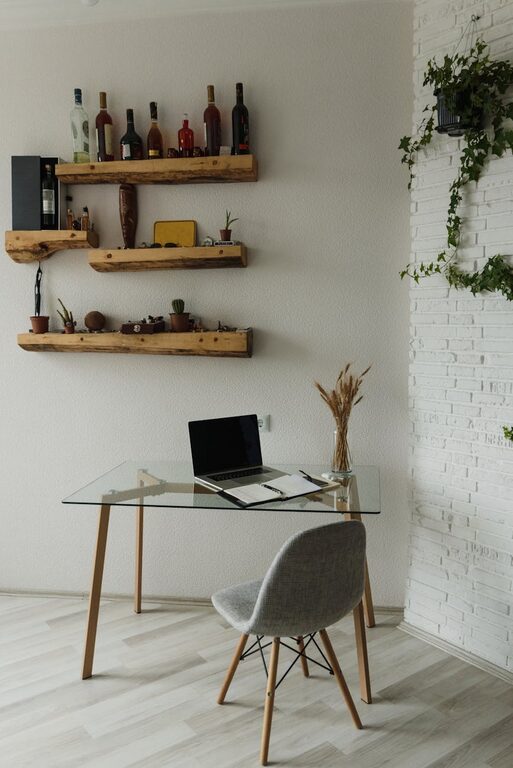
– Storage solutions: Use shelves, drawers, and organizers to keep supplies tidy.
– Minimalism: Keep only essential items on your desk to prevent clutter.
– Digital organization: Manage your computer files and emails to complement your physical workspace neatness.
4. Personalize Your Workspace
Adding personal touches can make your workspace feel inviting and creative.
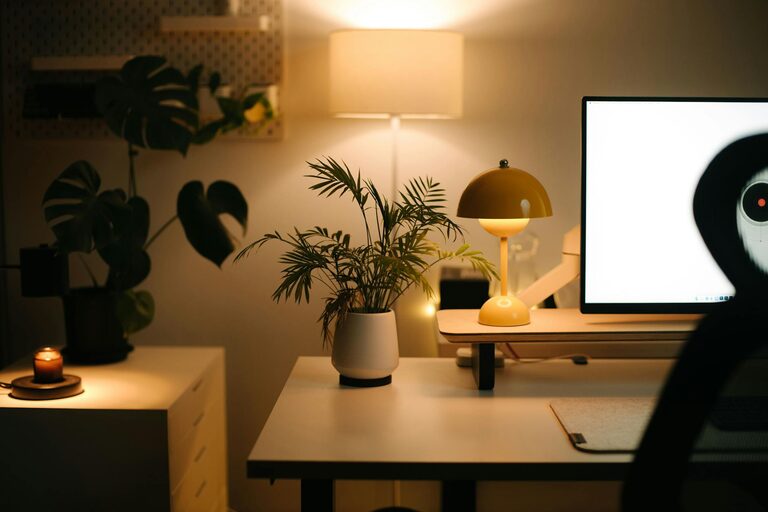
– Decor: Simple artwork, plants, or photos can brighten the room.
– Colors: Choose calming or inspiring colors for your walls and accessories.
– Lighting: Besides natural light, include a good desk lamp with adjustable brightness.
5. Manage Technology Wisely
Technology supports productivity but can also distract if not managed correctly.
– Reliable internet: Ensure your connection is strong and stable.
– Quality peripherals: Invest in a good keyboard, mouse, and monitor to reduce strain.
– Cable management: Use clips or sleeves to keep wires organized and out of sight.
6. Create Routines and Boundaries
A well-designed space should encourage good work habits.
– Set working hours: Define clear start and finish times to create a work-life balance.
– Breaks: Include a comfortable spot nearby for quick breaks to recharge.
– Boundaries: If you share your space, communicate your work schedule with family or roommates.
7. Improve Air Quality and Comfort
Good air quality and temperature can significantly impact your concentration.
– Ventilation: Open windows regularly or use an air purifier.
– Temperature control: Use a fan, heater, or humidifier to maintain a comfortable environment.
– Plants: Indoor plants can improve air quality and add a calming effect.
8. Use Sound to Your Advantage
Background sound can either help focus or cause distraction.
– Noise-cancelling headphones: Useful in noisy environments.
– Background music or white noise: Some people find that soft music or ambient sounds help concentration.
Final Thoughts
Creating a cozy and productive home workspace is about blending comfort with functionality. By carefully selecting your location, furniture, and organizational tools while incorporating personal touches, you can build a space that motivates you to work efficiently. Remember, the goal is to create an environment where work feels less like a chore and more like a natural, enjoyable part of your day.
About the Author